

HydroXplorer Documentation
This is the documentation for HydroXplorer: The DSSGx Fire Hydrant Range Finder application.
User Guide
We have developed a web application to help firefighters determine the areas covered with existing and planned hydrants.
You can access the web application at http://hydroxplorer.dssgxmunich.org.
Below is the homepage of the web application:
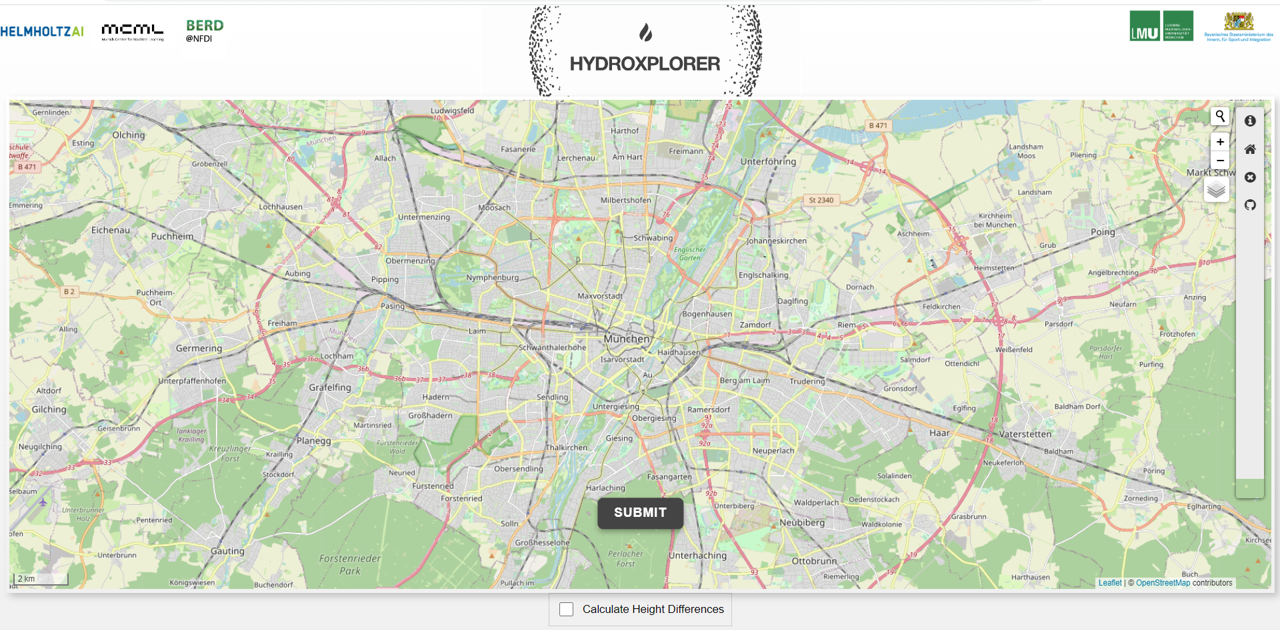
As soon as you select a point on the map, a pop-up window will appear with the following required input:
Hose Length: Expects a numerical value.
Transport Mode:
Walking: Route optimized for walkers.
Driving: Driving directions for motor vehicles.
Cycling: Fits Portable Fire Pump Trolley.
Service Driving: Drivable public streets (incl. service roads).
Point Type: Select whether the point is a fire or a water source.
Elevation: You can tick the box titled “Calculate Height Differences” to get the elevations for different points, and see their relative heights.
After specifying the input points, click the Submit button to get results.
Below is an example of the interactive map you get as a result:
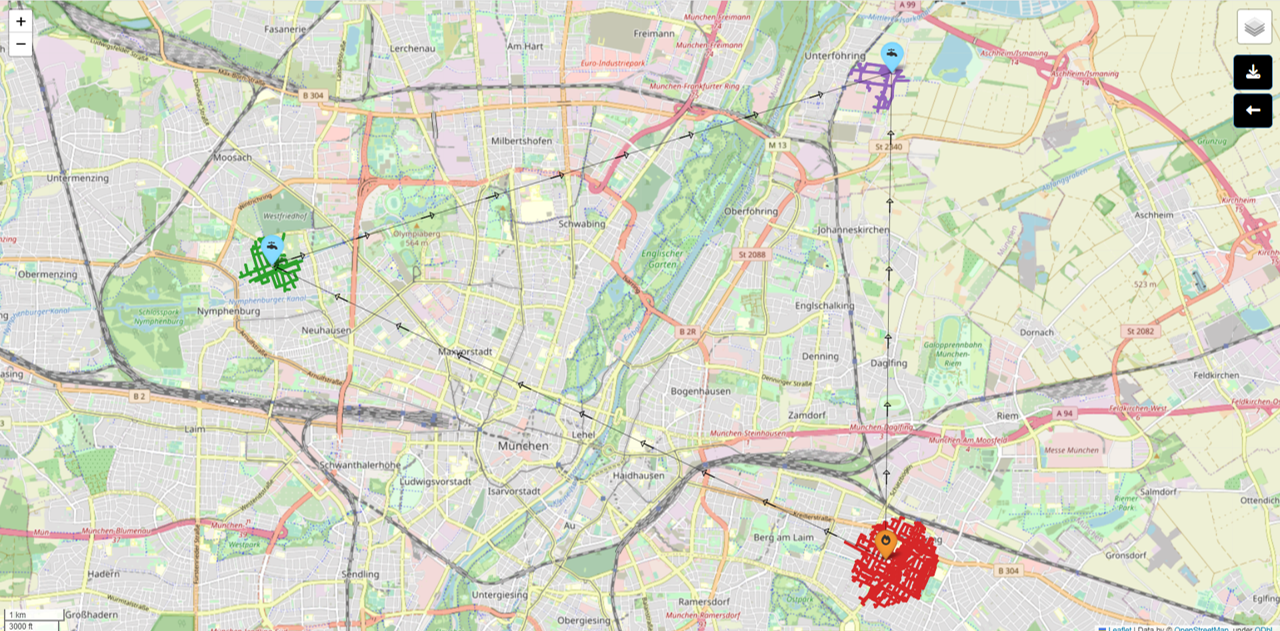
You can change the terrain of the map using the terrain selector on the top right.
Input Values Restrictions:
Hose length: 120 to 5000 meters.
Max 10 points on the map.
Point-to-point distance limit: 20,000 meters.
For the source code of the application, refer to our GitHub repository.